Everything to know about FantomApp
16 December 2025
The FantomApp mobile app helps you maintain control over your social media data through practical advice and tools.
FantomApp: practical tools to maintain control over your data
The CNIL supports 10- to 15-year-olds with FantomApp, an app to help teenagers protect themselves on social media.
Young people themselves were the inspiration for the creation of FantomApp, which was designed to meet the specific requirements they have expressed with regard to the protection of their personal data.
FantomApp is about:
- tools and tutorials to help you protect your accounts and “clean up” your online presence
- advice and content to help you if you encounter any problems
- a free and secure application that does not collect any data (except for the IP address, which is necessary for the application to function, and the type of device used).

FantomApp is available free of charge from App Store and Google Play and directly from its web version: fantomapp.org
Discover the key features of FantomApp
Help and resources for online problems
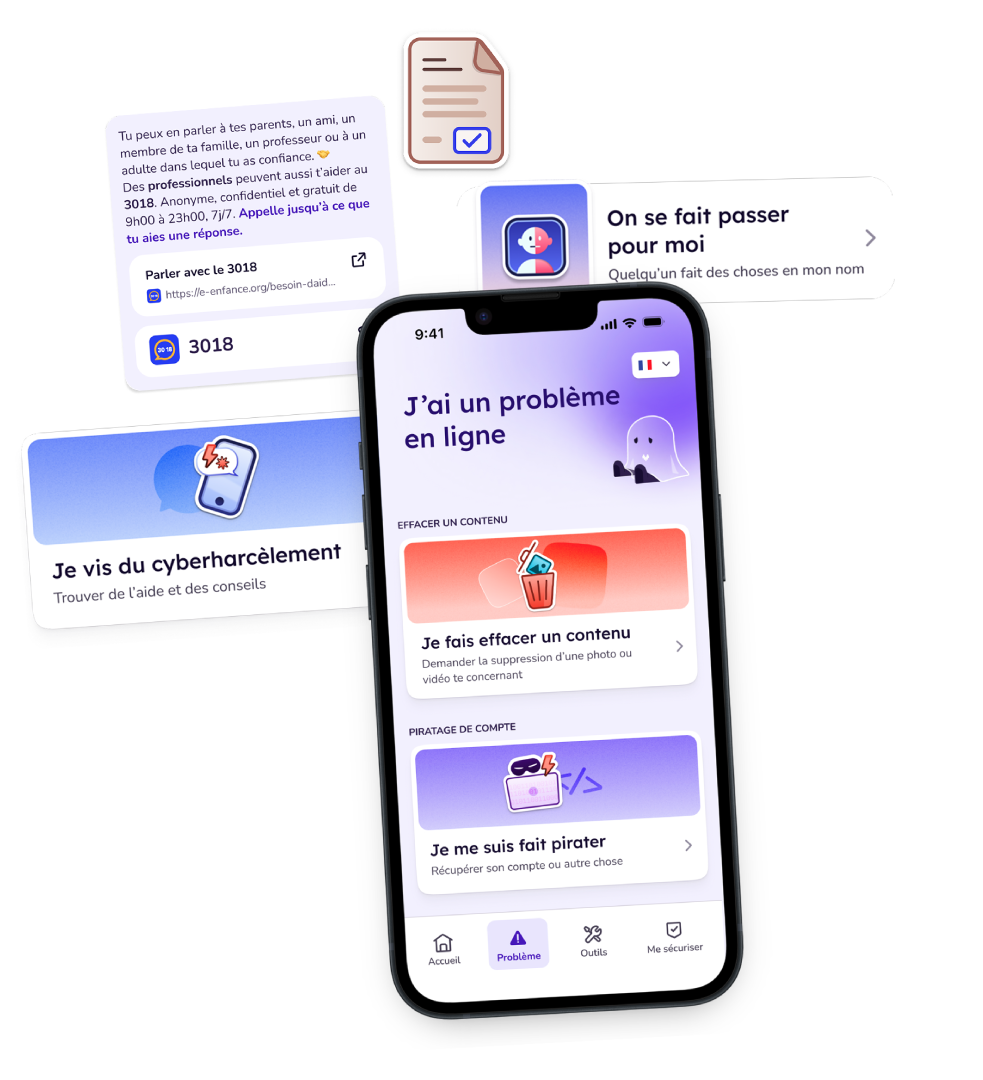
- ‘I want to remove an online content’
- ‘I've been hacked’
- ‘I'm being cyberbullied’
- ‘Someone is impersonating me’
- ‘I'm being sexually blackmailed’
- ‘I've been scammed’
The help and resources provided direct young people to trusted institutions and organisations that can offer them support. They always receive practical advice.
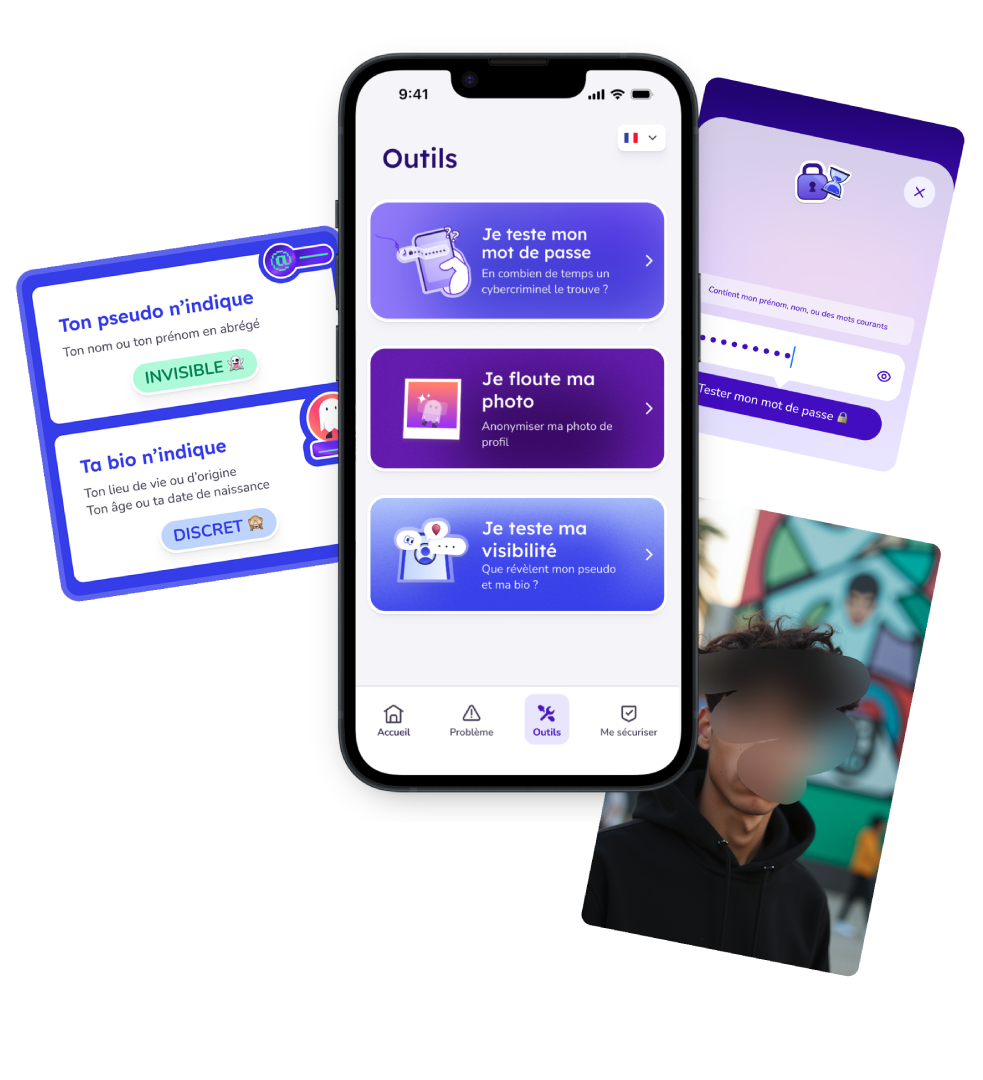
Tools to strengthen your accounts
- ‘I'm testing my password’
How long would it take a cybercriminal to crack it? What makes a password truly secure? FantomApp lets you test the strength of your passwords.
- ‘I'm blurring my picture’
You can blur and pixelate your profile picture to remain anonymous on social media.
- ‘I test my visibility’
What information about yourself do you include in your bio or username? Having a private account doesn't mean you're browsing incognito.
Tutorials for setting the correct parameters
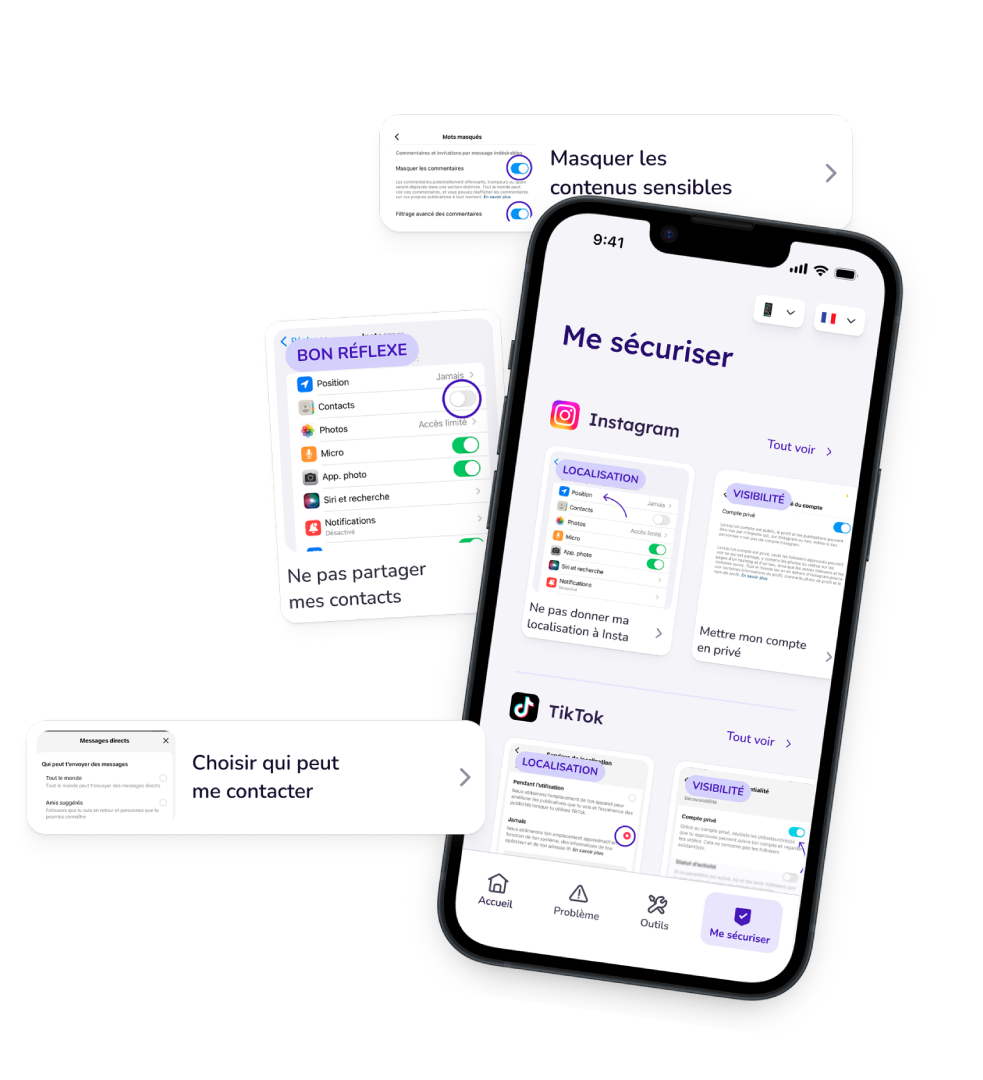
For each network (Instagram, TikTok, Snapchat, X, WhatsApp, etc.), access tutorials to find out which settings to enable or disable in order to keep your private life... private:
- Remove geolocation
- Make my account private
- Enable two-factor authentication
- See who is logged into my account, by location
- Determine who can interact with me
- Hide sensitive content
- Disable contact sharing
- Do not allow me to be found in suggestions
- Disable the ability to see ‘likes’
- Do not allow me to be found using my phone number or email address
- Determine who can contact me
- Disable the ability to see if I am online
- Prevent proprietary AI from reading or exploiting my data
- Disable personalised ads
- Determine who can add me to a group
- Disable archiving of ephemeral posts
An app with a European dimension
The FantomApp has been funded by the European Union as part of the Citizens, Equality, Rights and Values Programme (CERV).
The content on FantomApp can be translated and adapted to the language and context of each partner data protection authority, so that as many young Europeans as possible can better protect their privacy on social media.
FantomApp is currently being launched in Sweden by IMY, the Swedish Data Protection Authority, and in Poland by Urząd Ochrony Danych Osobowych (UODO), the Polish equivalent authority. Seven other European data protection authorities have expressed their interest and supported the project.

FAQ - FantomApp

FantomApp, who is it for?
How was the application designed?
Is it an app or a website?
Which data is collected?
How was the development of the application financed?
Why is the application called FantomApp?